
Master your
Clipboard.
The high-performance clipboard history tool for professionals.
Secure, local, and incredibly fast. Command your workflow with zero lag.
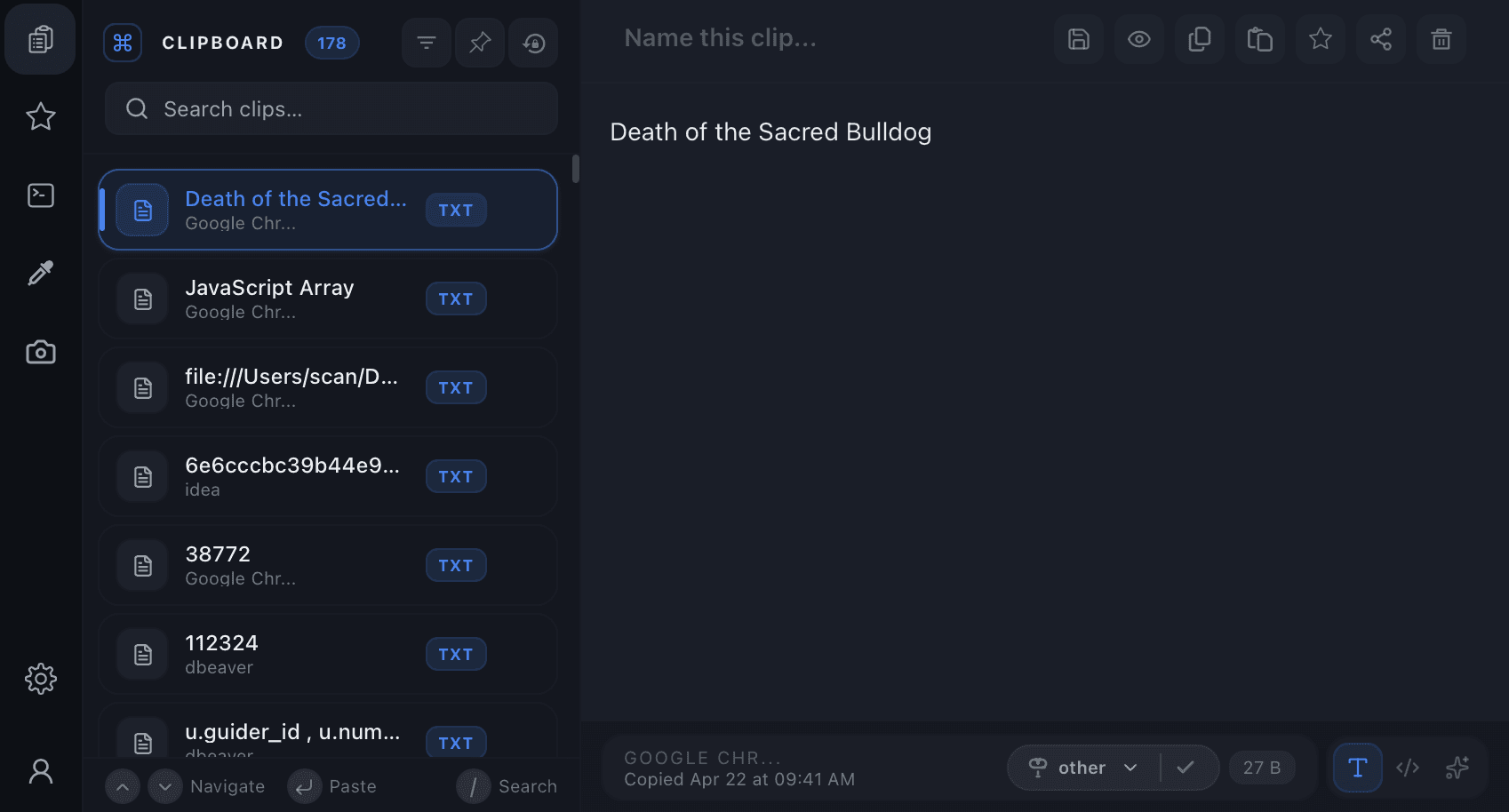
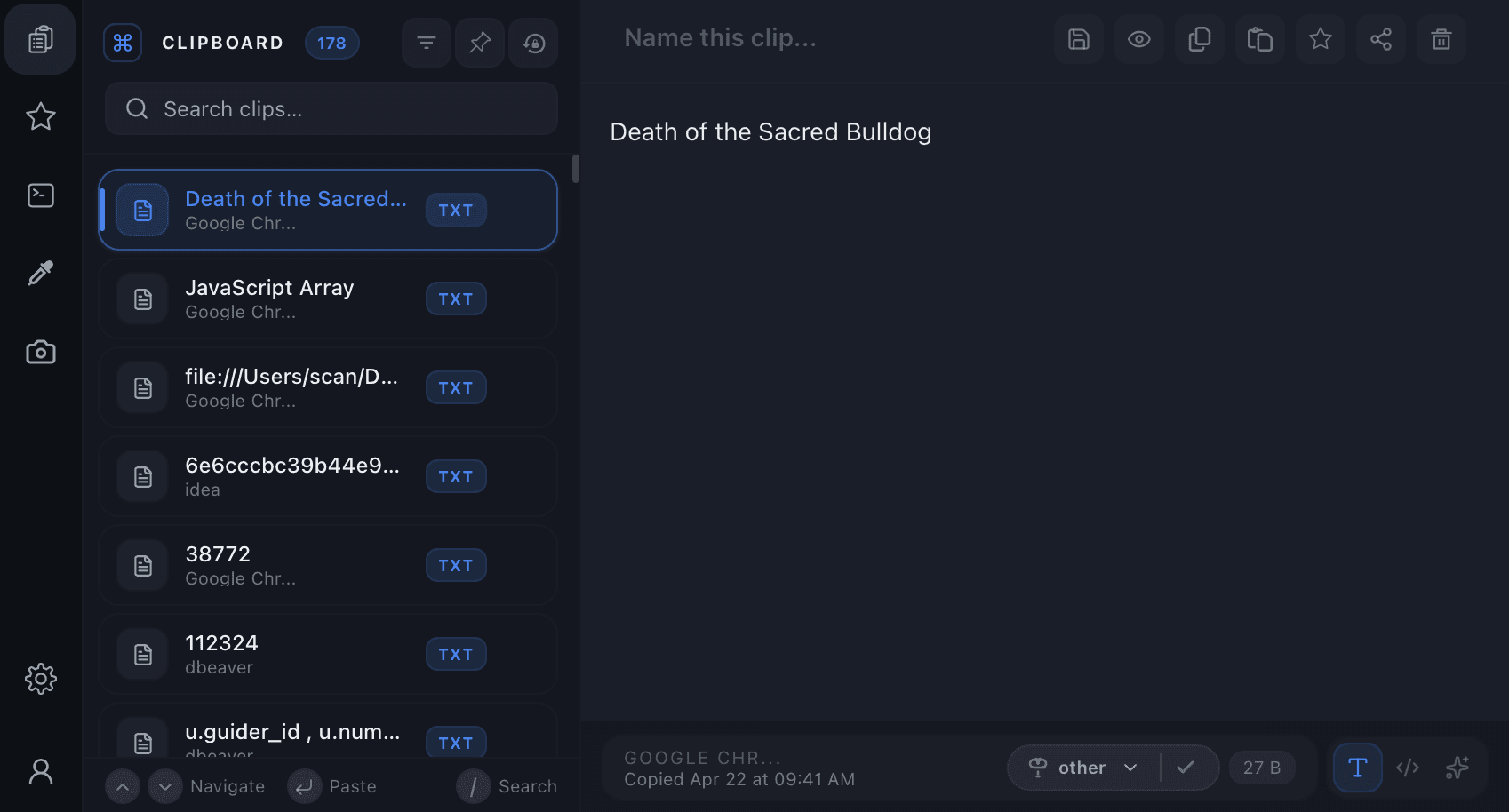
Clipboard, evolved.
Every pixel, every word.
Nine powerful capabilities. capture, protect, extract, share, and mask. Built to stay invisible until you need them.
Copy anything.
History builds itself.
Every copy action text, rich content, image, URL, or file path is silently captured in under 600 ms. Your clipboard history builds itself so you never lose a thing.
- ⚡Background daemon captures every copy in under 600 ms with zero UI lag.
- 🖼️Images saved as lossless PNGs on disk with inline preview, one click re-copies.
- 📁File paths, URLs, code snippets, and rich text are stored, searchable, and pinnable.
Pick any colour.
From anywhere.
Hover over any pixel on your screen and instantly grab its exact colour. Copy as HEX, RGB, or HSL straight into your clipboard and history.
- 🎨1-pixel precision loupe magnifies any screen region for perfect colour sampling.
- 🔄Instantly converts and copies as HEX, RGB, HSL, or CSS variable with one hotkey.
- 🎞️Recent colour palette keeps your last 20 swatches always one click away.
Capture anything.
As a perfect image.
Select any region, window, or full screen and capture it as a lossless PNG in one keystroke. The screenshot is instantly added to your clipboard history.
- 📸Region, window, and full-screen capture modes with pixel-perfect selection handles.
- 📋Screenshot is immediately copied to clipboard and saved to history, zero friction.
- ✏️Optional quick-annotate mode: draw arrows and text before copying.
Snippet vault.
Never forget again.
Tag and store your favourite terminal commands, SQL queries, code templates, and one-liners. Recall them instantly without memorising a single keystroke.
- 💾Name, tag, and save any clip as a permanent snippet with ⌘S from anywhere.
- 🏷️Organise by tag, deploy, devops, database, or your own custom categories.
- ⚡One-keystroke execution for terminal commands, run saved snippets without pasting first.
Local. Encrypted.
Forever private.
Clipsy is 100% offline. Everything lives in an AES-256 encrypted SQLite database on your device. No servers, no sync, no telemetry.
- 🔒AES-256 encrypted SQLite database on your local filesystem, never transmitted.
- 🚫Zero analytics, zero cloud sync, zero tracking of any kind, ever.
- 🔓Fully open-source, audit every line of data handling code yourself.
One shortcut.
From any app.
Press Ctrl+Shift+V (or ⌘+Shift+V on macOS) from anywhere, browser, terminal, IDE, and the floating Clipsy panel appears instantly above every window.
- ⌨️System-level hotkey works in every app with no configuration needed.
- 🪟Floating panel appears above all windows, always on top.
- 🖱️Panel follows your cursor so it opens exactly where you need it.
Send to any device.
Local & global.
Share any clip to another device on your local Wi-Fi network instantly, or generate a short encrypted URL to send globally — no accounts required.
- 📡LAN push sends clips to nearby devices in under 100 ms, no internet needed.
- 🌐One-click encrypted global URL expires in 5 minutes, safe to share anywhere.
- 📲Direct P2P transfer between desktop and mobile via temporary encrypted relays.
Text inside images.
Extracted instantly.
Point Clipsy at any screenshot, PDF, or image and watch it extract every line of readable text. The result is copied straight to your clipboard.
- 🔍On-device OCR engine processes screenshots, images, and PDFs with 98% accuracy.
- 🌍Recognises 40+ languages and scripts including Latin, CJK, and Arabic.
- 📋Extracted text is instantly copied and added to clipboard history, fully searchable.
Detect. Mask.
Stay safe always.
Clipsy automatically scans clipboard content for sensitive data, credit cards, API keys, and phone numbers, and masks them before display or sharing.
- 🛡️Real-time PII detection identifies cards, secrets, emails, and phone numbers on capture.
- 🎭Configurable masking rules, choose which fields to redact and how much to show.
- 🔐Originals stored AES-256 encrypted locally; only masked versions are displayed or shared.
Your data is your
Authority.
We built Clipsy with a security-first mindset. No cloud, no tracking, no compromises. Just pure performance on your terms.
End-to-End Encryption
All shared items are encrypted on-device before they ever hit the network. Only your team holds the keys.
Local-First Storage
Your clipboard history stays on your machine. We don't have a cloud database because we don't need one.
PII Auto-Masking
Clipsy automatically detects and masks credit cards, API keys, and passwords from your visual history.
Have an issue or a
suggestion?
Join our community discussions on GitHub. Whether you found a bug, want to request a feature, or just want to see what's coming next, we'd love to hear from you.